

CarGurus: Used & New Cars review
 Analysis by GetAllApps
I’d use CarGurus: Used & New Cars as a starting point when I’m exploring the car market, not as a substitute for checking a vehicle in person. The app is built around the practical decisions involved in buying, financing, or selling a car, and that makes it more focused than a general classifieds feed. If you are opening it for the first time, the useful goal is simple: narrow a broad search until you have a few plausible cars worth investigating.
What to expect from a car-shopping app
CarGurus is an Auto & Vehicles app from CarGurus, Inc. Its appeal is the chance to bring several stages of a car decision into one place. Rather than beginning with a dealer visit or a collection of unrelated searches, I can use it to get oriented, compare possibilities, and consider financing or selling as part of the same broader task.
The app is free, has an Everyone age rating, and has been available since February 11, 2014. It is currently at version 5.63, with a minimum operating-system requirement of 7.0. Its 4.8 average comes from around 247,000 ratings, and it has more than 10 million installs. Those figures suggest a widely used service, but they do not tell me whether any particular listing is a good deal. That still takes careful comparison and questions for the seller.
The most reassuring way to approach a car search is to treat the first session as research, not a commitment. I would start with the kind of vehicle I need and the limits that matter in everyday life: how much space I need, what sort of driving I do, and what I can comfortably spend. A shortlist built around those needs is more useful than browsing endlessly through attractive but unsuitable cars.
This is a better fit for someone who wants to compare options before speaking to a seller. It is less compelling if you already know the exact car, have a trusted local seller, or simply want a place to arrange a test drive. In those cases, a direct dealer conversation or a local classifieds service may get you to the next step faster.
Start with the decision, not the filters
Before searching, I find it helpful to separate must-haves from preferences. A reliable way to make the app work for you is to decide which requirements are firm—such as vehicle size or a spending ceiling—and which can bend, such as color or a particular trim. That distinction prevents a long list of filters from hiding reasonable alternatives.
For a first-time buyer, the key is not to choose the perfect car immediately. It is to discover what is available in the part of the market that fits your needs. When a search returns too few appealing results, loosen one preference at a time instead of abandoning your budget or core requirements. That gives you a clearer sense of which constraint is doing the limiting.
First setup: make a useful shortlist
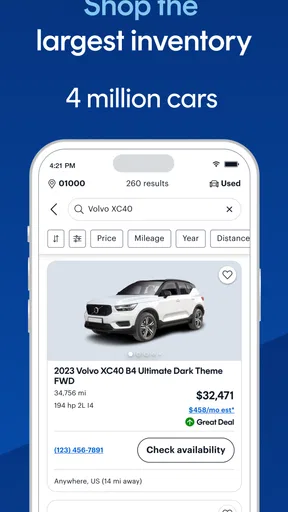
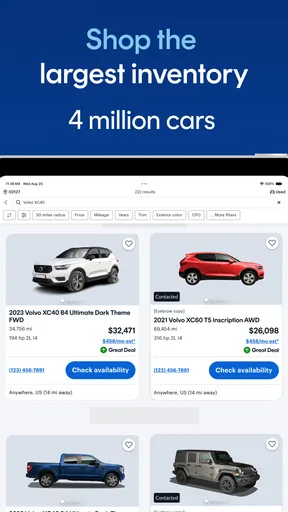
Once the app is installed, I would begin with a focused search rather than trying to understand every part of the experience at once. Enter the vehicle type or model you have in mind, then narrow the results using the criteria that matter most. The exact controls you see can depend on the current app experience, but the general principle is steady: keep the first search broad enough to reveal choices, then refine it deliberately.
A common mistake is to add every preference at the beginning. If the result set becomes very small, it is hard to know whether the market is genuinely limited or whether one optional detail excluded sensible cars. I prefer to make an initial shortlist, note what the candidates have in common, and then adjust a single criterion to see what else appears. That is a more informative workflow than repeatedly changing several filters at once.
It also helps to keep a simple comparison note outside the app. I would record the asking price, the features I care about, and the questions still unanswered for each candidate. This is especially useful if you are looking across multiple sessions or discussing the options with someone else; a memorable photo can otherwise make one listing seem stronger than it is.
Your first meaningful success
A good first result is not finding a car you are ready to buy. It is finding a small set of plausible candidates and understanding why each one made the cut. For example, imagine that your current car is becoming unreliable and you need a replacement that can handle a daily commute and occasional family trips. I would search for the type of vehicle that fits those jobs, set a realistic spending limit, and compare a few options before contacting anyone.
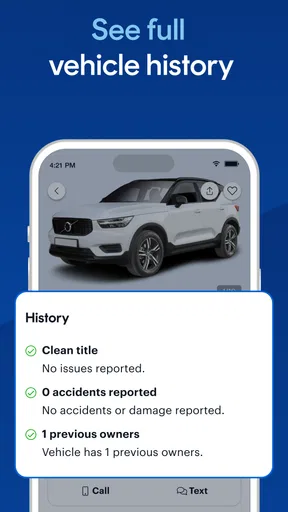
At that point, use the listings to create questions rather than assumptions. Ask what you need to know about the vehicle’s condition, history, ownership costs, and availability. A listing can help you decide whether a car deserves follow-up, but it cannot replace an inspection or a direct conversation. The best use of a listing is to decide what to verify next.
When you contact a seller, be specific. Instead of asking only whether the car is still available, ask about the details that would change your decision and arrange a chance to see it if the answers make sense. If the seller’s replies do not match the listing or leave important points unclear, move on rather than letting the effort already spent persuade you to overlook a concern.
This step-by-step approach is particularly valuable if you have not bought a car before. It reduces the pressure to act on the first appealing result and gives you a practical path from browsing to a real-world check. The app can help with discovery; your own questions and inspection remain essential.
Where confusion can creep in
The biggest source of confusion is treating an online comparison as proof that two cars are equivalent. Similar models can differ in condition, equipment, history, and seller circumstances. A promising price or a polished listing should be a reason to investigate, not a verdict. I would compare the details that are actually stated and flag anything that needs confirmation.
Another easy trap is reading the app’s buying, financing, and selling scope as though every step were automatic. Those are related paths, but they involve different decisions. If you are considering financing, work out what you can afford over time and understand the terms before committing. If you are selling, prepare accurate information about your car and decide what questions you are willing to answer. The app can support the process, but it cannot make those choices on your behalf.
Some users may also find that browsing becomes a distraction. A large field of possibilities can encourage endless comparison, especially when you have not decided what matters most. I would set a short list of non-negotiables and stop searching when a candidate meets them well enough to justify a closer look. More scrolling is not always better research.
For that reason, this is not the right tool for someone expecting a guarantee about a car’s condition or a complete replacement for independent checks. If you need a mechanic’s assessment, legal guidance, or certainty about a seller’s claims, those require steps outside an app. The sensible balance is to use CarGurus to identify and compare candidates, then verify the important facts through direct inspection and conversation.
How it fits beside other ways to shop
Compared with visiting dealerships one by one, a marketplace app is convenient for building an initial view of what is available before spending time on the road. Compared with general classifieds, a car-focused service is more naturally suited to searching for vehicles and thinking about the transaction around them. Neither approach makes the other obsolete: local listings, dealer inventory, and personal recommendations can reveal options you might not encounter in one place.
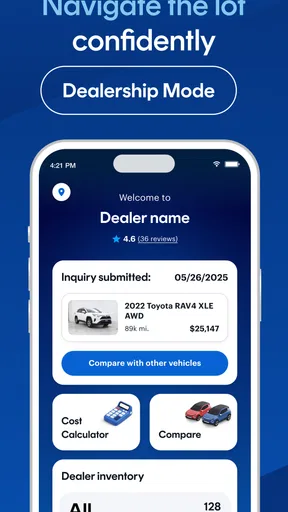
I would use CarGurus when I want a structured starting point and a way to keep the search centered on cars. I would use a dealer’s own channel when I have already chosen a particular seller or need details only that seller can provide. I would also look beyond the app if my search is unusually specialized, because a narrow requirement can make any single marketplace feel limited.
That balance matters for selling, too. An app can help you explore the selling route and reach potential buyers, while a direct local approach may suit someone who already has a buyer or prefers to handle the process personally. The better choice depends on how much comparison and discovery you need, not on a claim that one route is always best.
Take the next step without rushing
After you have a shortlist, revisit it with a practical question: which vehicle is worth spending time and effort to verify? Remove candidates that miss a firm requirement, then contact the seller of the strongest remaining option. Keep a second choice in view until the first one has passed the checks that matter to you. That simple backup prevents a single listing from controlling the whole search.
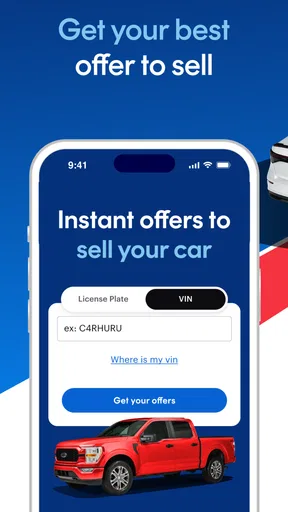
If you are only beginning to think about a purchase, you can use the app to learn what kinds of vehicles appear within your preferences before deciding when to buy. If you are ready to act, move from browsing to targeted questions, then arrange a proper look at the car. If you are selling instead, approach the listing process with the same care: clear, accurate details make it easier for interested people to judge whether your car suits them.
Overall, I recommend CarGurus: Used & New Cars to people who want a practical place to start comparing cars and who are comfortable doing the important verification themselves. Its strongest role is helping turn a vague search into a manageable shortlist, with buying, financing, and selling all within its broader purpose. It is not a magic shortcut to a risk-free purchase, and it can feel unnecessary if you already have a trusted route to a car. Used with a clear budget, a few well-chosen requirements, and a willingness to ask follow-up questions, it can make the first steps feel much more manageable.
Pros and cons
Pros
- Compare asking prices with estimated market values.
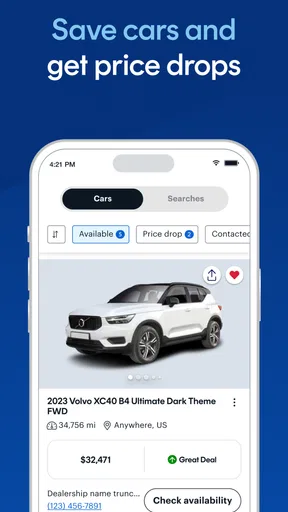
- Save favorite listings for later review.
- Search listings by price mileage and location.
- Seller and vehicle details help with initial research.
- The interface makes browsing cars straightforward.
Cons
- Listing quality can vary between dealerships and private sellers.
- Prices and availability may change before you contact a seller.
- Some listings may include limited vehicle history information.
- Search results depend on the accuracy of seller-provided details.
- Contacting sellers may lead to follow-up calls or messages.


